Győr · Microsoft environments, cloud and endpoints
Platforms and technologies we work with
If your environment runs on mainstream business technology, we probably already support something like it. Below is what we work with most often, and where we are honest about the limits of our coverage.
How to read this page
Check your own stack against ours, item by item
Most Hungarian businesses do not arrive with a blank environment. They arrive with a Microsoft tenant that has grown for years, a couple of servers in a rack room, and a cloud subscription somebody set up for one project and never revisited. So this page is written as a compatibility check rather than a product catalogue: each block below names the platform, says what we actually do inside it, and marks where our coverage stops. If you find your own environment in these rows, the next step is a short conversation about what is running and what needs attention.
We do not claim to be the deepest specialist in every platform on this list. What we do claim is that when something falls outside our scope, we tell you before a project starts rather than after an invoice. The company behind this page is ALPHATECH Számítástechnikai Korlátolt Felelősségű Társaság, registered in Győr under company registration number 13-06-045892 and tax number 25984561-2-08.
Backbone of most client environments
Microsoft environments
Microsoft 365 and Windows Server form the backbone of most client environments we manage. That includes Exchange Online, SharePoint, Teams, Entra ID for identity and access management, and Intune for endpoint management. On the server side, we handle Active Directory, file and print services, and the line-of-business applications that sit on Windows infrastructure.
Windows 11 is the current desktop standard in most of the environments we support, which means device refresh cycles, application compatibility, and policy enforcement all fall inside our scope. A refresh is rarely just an image swap: line-of-business applications, printer drivers, and departmental share permissions all have to be checked before a machine changes hands, and we plan that work per department rather than per device.
Where it applies
If your environment is on an older Windows Server release or a legacy mail platform, we will say so early and outline what a move would involve before any work is scheduled.
Azure and cloud platforms
Azure is our primary cloud platform, used for virtual machines, backup, networking, and identity integration with on-premise systems. We also work with other cloud providers where a client's applications require them, though we do not claim deep specialisation in every platform. The practical question is usually not which cloud is best in the abstract, but which one your applications and your team can actually operate. We answer that question with your specific systems in mind.
That often means keeping a workload where it already is and fixing the parts around it — identity, backup, network routes, and cost visibility — rather than migrating for its own sake. Cloud platforms in Hungary carry the same subscription and data-residency questions as anywhere else, and those are decisions for your business to make with clear numbers in front of you, not for us to make on your behalf.
What we do in Azure
- Virtual machines sized to the workload, with monitoring that reports on the metrics you actually care about.
- Backup and restore configuration, including a test restore before we call a backup plan finished.
- Networking between cloud and office, with firewall rules documented rather than discovered later.
- Identity integration so one account works on both sides without duplicate user records.
Hybrid environment design
Many Hungarian companies end up running hybrid setups: some workloads on-premise, some in the cloud, connected through identity synchronisation and network links. This is a legitimate long-term architecture, not a temporary state to apologise for. We design hybrid environments deliberately, with clear rules about where data lives and how authentication flows between the two sides. Getting those rules right early prevents years of confusion.
Decisions we write down before building
Where the data lives
Each dataset gets one home. Files that must stay on-site stay on-site; everything else is placed deliberately rather than left wherever a migration tool dropped it.
How sign-in flows
One identity source, one synchronisation direction, and a documented fallback for the day the link between the two sides is down.
Who owns which change
A short change list per side of the hybrid setup, so a firewall rule or a group policy change does not quietly break the other half.
Endpoint management
Laptops, desktops, mobile devices, and specialised terminals all need management. We use Intune and similar tools to handle device enrolment, policy enforcement, software deployment, and security baselines. For manufacturing clients, this includes shop-floor terminals and ruggedised devices that need different treatment from office laptops.
The goal is consistency: a new device gets configured the same way as the last one, and a lost device can be wiped remotely. Where a client already runs a management tool, we work with it instead of insisting on a replacement, provided it can enforce the policies the business actually needs.
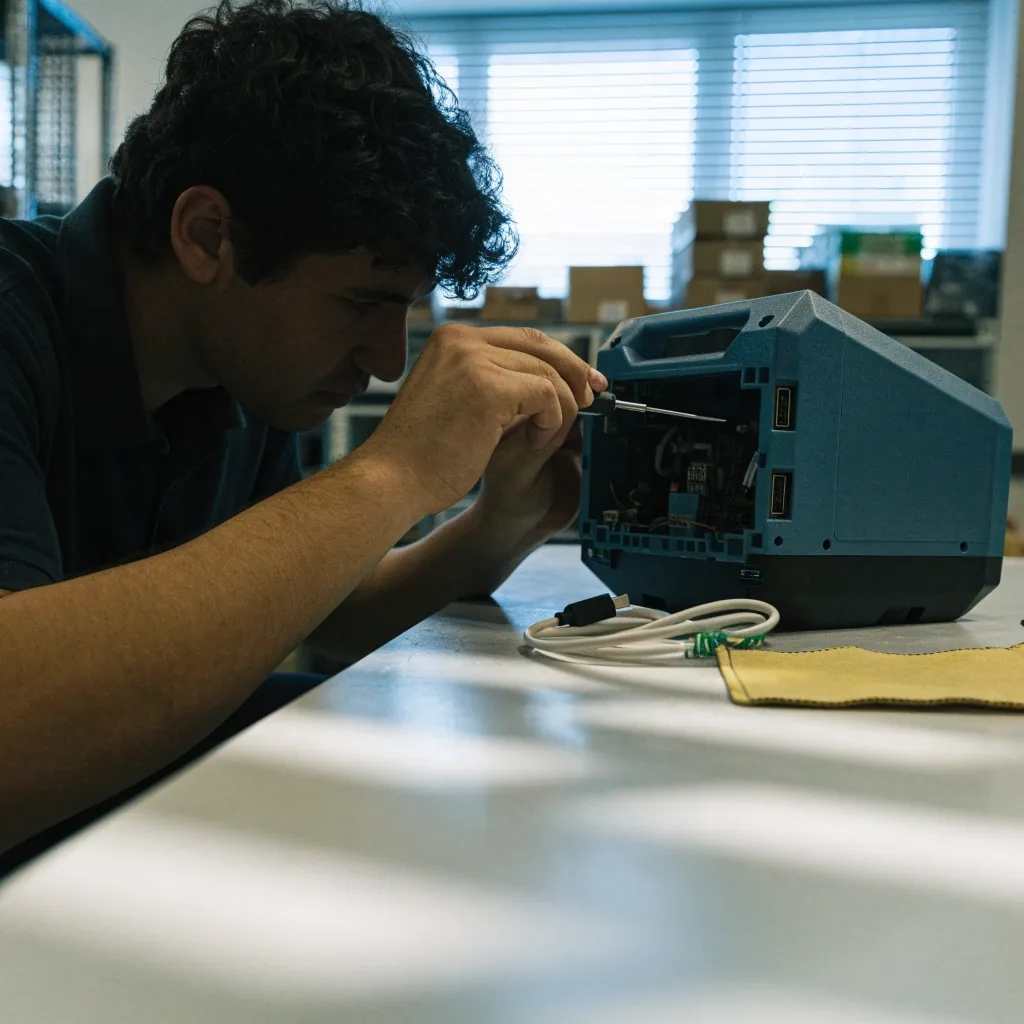
Shop-floor terminals and ruggedised devices get their own enrolment profile, separate from office laptops.
Where most incidents start
Identity and access management
Multi-factor authentication
Enabled for every account that can reach company data, with the admin accounts checked first rather than last.
Conditional access
Rules that decide whether a sign-in is allowed based on the device and the location, not only the password.
Access reviews
A recurring look at who holds which rights, so leavers and role changes do not leave standing access behind.
Identity is where most security incidents start, which is why we treat it as a discipline of its own. In Microsoft environments, this means working with Entra ID carefully rather than accepting defaults. We have seen too many companies with MFA enabled but admin accounts exempted, which defeats the purpose entirely. Privileged account management and regular access reviews are part of the same discipline, not an optional extra bolted on at the end.
Service management and support tooling
For clients who need more than email-based support, we run structured service management workflows. Incident tracking, change management, request fulfilment, and knowledge bases all live in one place, with clear ownership and history. Tools in this space, such as Jira Service Management, are built for teams that have outgrown ad-hoc helpdesk handling and need traceability across departments. We configure these systems to match how your organisation actually works, including the parts where your approval chain does not look like the default template.
Networking and connectivity
Firewalls, switches, wireless access points, VPNs, and site-to-site links. We design and maintain the network layer that everything else depends on, including segmented networks for production environments and guest access that does not expose internal systems. For multi-site clients, we standardise configuration so support does not depend on which building a device sits in.
Documentation matters as much as the hardware here. A network nobody can describe is a network where every change is a risk, so each site gets a written layout: which VLAN carries what, where the firewall rules sit, and which link fails over to which.
Devices we look after
- Firewalls and edge routers, with rule sets reviewed rather than accumulated.
- Switches and wireless access points across single and multi-site offices.
- VPN and site-to-site links for staff and systems that work away from the office.
- Segmented production networks and a guest path that keeps internal systems out of reach.
Backup, recovery, and business continuity
Backup is only useful if it restores. We configure backups, test restores regularly, and document recovery procedures so the plan exists on paper as well as in software. This covers cloud services, on-premise servers, and endpoints where appropriate. Recovery time and recovery point expectations are agreed with the client, because "we have backups" is not the same as "we can be running again by Monday morning."
In practice that means a written recovery order: which system comes back first, who is called, and what the business does in the meantime. A restore test that nobody has run is a hope, not a plan, so we schedule them and record the result rather than assuming the software did its job.
What we do not cover
We are not a SAP consultancy, we do not develop for mainframe systems, and we do not provide consumer device repair. Where a client needs a specialist we do not have in-house, we say so and help them find one. Pretending to cover everything is how projects get into trouble.
Saying this plainly saves everybody time. A short call is usually enough to establish whether your environment sits inside the list above or needs a partner with a different specialisation, and we would rather have that call before a contract than after one.

When we hand a job to someone else
You get a named recommendation and a written summary of what we found, so the next supplier starts with your actual configuration instead of a blank page. That summary includes the systems we inspected, the questions we could not answer, and where the boundary between the two scopes sits.
Questions we are asked before an assessment
Do you only work with Microsoft environments? Open
Microsoft is the largest part of what we manage, but it is not the only thing. We work with other cloud providers where your applications require them, and we support mixed environments where a legacy system still has years of useful life left. The honest answer for any specific platform is a short conversation, because coverage depends on the version and the role the system plays in your business.
What does an assessment involve? Open
We look at the systems you already run: identity, endpoints, servers, network, backup, and the service desk process if there is one. The output is a written picture of what is in place, what is exposed, and what would need attention first. It is a review of your environment, not a sales document, and you keep the notes whether or not you continue with us.
Can you take over an environment another provider built? Open
Yes, and it is common. We start with documentation and access, then confirm the backup actually restores before we change anything. Where passwords or admin rights are unknown, that becomes the first task rather than an afterthought. Handover periods vary with the size of the environment, and we plan them together with you so nothing depends on a single person being available.
Do we have to move everything to the cloud? Open
No. Plenty of workloads belong on hardware you own, and hybrid design exists precisely because one answer does not fit every system. We will tell you where the cloud helps, where it adds cost without benefit, and where a decision should wait until the business case is clearer.
Not sure where your environment fits?
Send us a short description of what you run today — the platforms, roughly how many devices, and what prompted you to look. We will reply with a plain answer about whether it sits inside our coverage, and what an assessment would look at first. No obligation, and no assumption that you need to change everything at once.
Registered as ALPHATECH Számítástechnikai Korlátolt Felelősségű Társaság · company registration number 13-06-045892 · tax number 25984561-2-08.